Sub Sample1()
    Dim PicFile As String
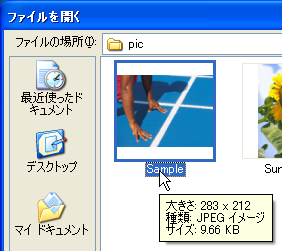
    PicFile = Application.GetOpenFilename()
    If PicFile = "False" Then Exit Sub
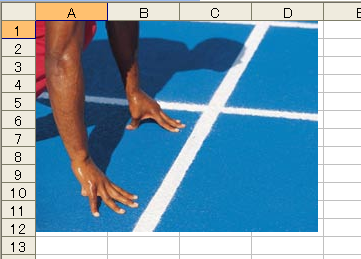
    ActiveSheet.Pictures.Insert PicFile
End Sub
Sub Sample2()
    Dim PicFile As String
    PicFile = Application.GetOpenFilename()
    If PicFile = "False" Then Exit Sub
    ActiveSheet.Pictures.Insert PicFile
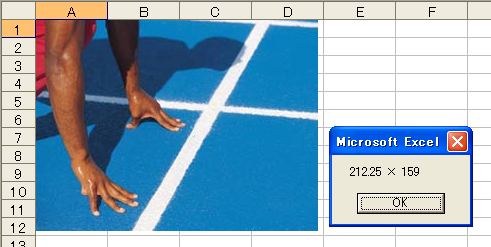
    With ActiveSheet.Pictures(1)
        MsgBox .Width & " × " & .Height
    End With
End Sub
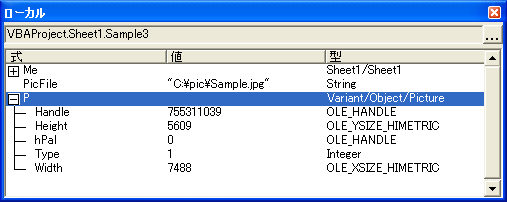
Sub Sample3()
    Dim PicFile As String, P As Object
    PicFile = Application.GetOpenFilename()
    If PicFile = "False" Then Exit Sub
    ''選択した画像ファイルをオブジェクト型変数に格納する
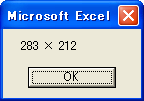
    Set P = LoadPicture(PicFile)
    MsgBox CLng(P.Width * 0.0378) & " × " & CLng(P.Height * 0.0378)
End Sub
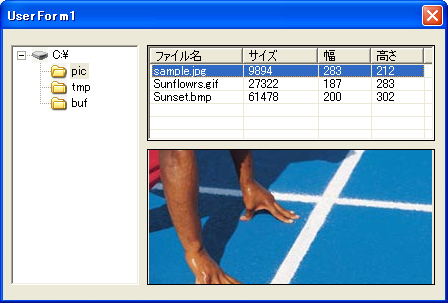
Private Sub ListView1_ItemClick(ByVal Item As MSComctlLib.ListItem)
    Image1.Picture = LoadPicture(TreeView1.SelectedItem.Key & "\" & Item)
End Sub

Private Sub TreeView1_NodeClick(ByVal Node As MSComctlLib.Node)
    Dim TargetPath As String, buf As String, P As Object
    TargetPath = Node.Key
    buf = LCase(Dir(TargetPath & "\*.*"))
    Do While buf <> ""
        If Right(buf, 3) = "jpg" Or _
           Right(buf, 3) = "gif" Or _
           Right(buf, 3) = "bmp" Then
            Set P = LoadPicture(TargetPath & "\" & buf)
            With ListView1.ListItems.Add
                .Text = buf
                .SubItems(1) = FileLen(TargetPath & "\" & buf)
                .SubItems(2) = CLng(P.Width * 0.0378)
                .SubItems(3) = CLng(P.Height * 0.0378)
            End With
        End If
        buf = Dir()
    Loop
End Sub