Sub Sample()
    Dim f As Variant, buf As String, cnt As Long, FSO As Object
    Set FSO = CreateObject("Scripting.FileSystemObject")
    With Application.FileSearch
        .NewSearch
        buf = InputBox("検索するファイル名を指定してください")
        If buf = "" Or buf = "False" Then Exit Sub
        .Filename = buf
        buf = GetFolder("検索を開始するフォルダを指定してください")
        If buf = "" Then Exit Sub
        .LookIn = buf
        .SearchSubFolders = True        ''サブフォルダも検索する
        If .Execute() > 0 Then
            For Each f In .FoundFiles
                cnt = cnt + 1
                Cells(cnt, 1) = f                           ''パス+ファイル名
                Cells(cnt, 2) = FSO.GetFile(f).Name         ''ファイル名
                Cells(cnt, 3) = FSO.GetFile(f).ParentFolder ''パス
            Next f
        Else
            MsgBox "見つかりませんでした"
        End If
    End With
    Set FSO = Nothing
End Sub
Function GetFolder(msg As String)
    Dim Shell, myPath
    Set Shell = CreateObject("Shell.Application")
    Set myPath = Shell.BrowseForFolder(&O0, msg, &H1 + &H10)
    If Not myPath Is Nothing Then
        GetFolder = myPath.Items.Item.Path
    Else
        GetFolder = ""
    End If
    Set Shell = Nothing
    Set myPath = Nothing
End Function
Sub FileSearch()
    Dim FSO As Object, Folder As Variant
    Set FSO = CreateObject("Scripting.FileSystemObject")
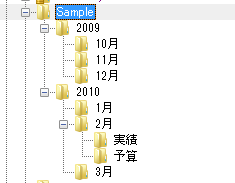
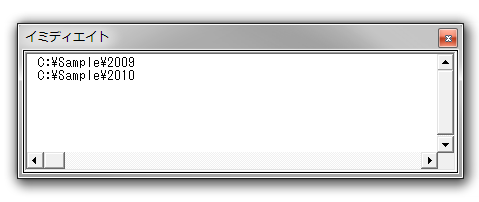
    For Each Folder In FSO.GetFolder("C:\Sample").SubFolders
        Debug.Print Folder.Path
    Next Folder
End Sub
あるいは、
Sub FileSearch()
    Dim FSO As Object, Folder As Variant
    Set FSO = CreateObject("Scripting.FileSystemObject")
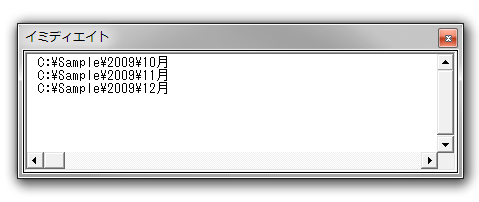
    For Each Folder In FSO.GetFolder("C:\Sample\2009").SubFolders
        Debug.Print Folder.Path
    Next Folder
End Sub
この、サブフォルダを探すパスである GetFolder(■■■)の■■■を、引数で渡してみます。
Sub Sample()
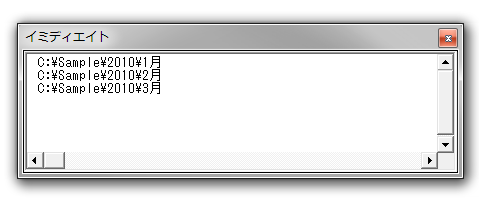
    Call FileSearch("C:\Sample\2010")
End Sub

Sub FileSearch(Path As String)
    Dim FSO As Object, Folder As Variant
    Set FSO = CreateObject("Scripting.FileSystemObject")
    For Each Folder In FSO.GetFolder(Path).SubFolders
        Debug.Print Folder.Path
    Next Folder
End Sub
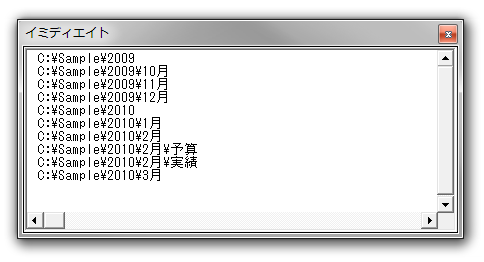
いずれにしても、サブフォルダを探すプロシージャは「Sub FileSearch(Path As String)」です。この「Sub FileSearch(Path As String)」内でサブフォルダを探し、見つかったサブフォルダに対して、また「Sub FileSearch(Path As String)」を実行します。このように、あるプロシージャが自分自身を呼び出す使い方を再帰と呼びます。
Sub Sample()
    Call FileSearch("C:\Sample")
End Sub

Sub FileSearch(Path As String)
    Dim FSO As Object, Folder As Variant
    Set FSO = CreateObject("Scripting.FileSystemObject")
    For Each Folder In FSO.GetFolder(Path).SubFolders
        Debug.Print Folder.Path
        Call FileSearch(Folder.Path)  ''見つかったフォルダを引数に指定して、自分自身を呼び出す
    Next Folder
End Sub
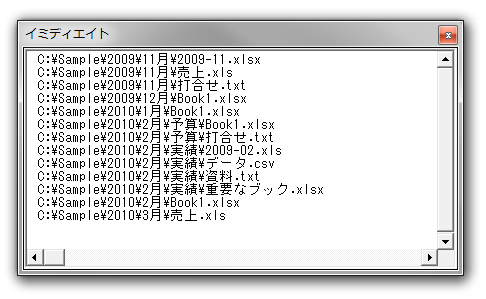
Sub Sample()
    Call FileSearch("C:\Sample")
End Sub

Sub FileSearch(Path As String)
    Dim FSO As Object, Folder As Variant, File As Variant
    Set FSO = CreateObject("Scripting.FileSystemObject")
    For Each Folder In FSO.GetFolder(Path).SubFolders
        Call FileSearch(Folder.Path)
    Next Folder
    For Each File In FSO.GetFolder(Path).Files
        Debug.Print File.Path
    Next File
End Sub
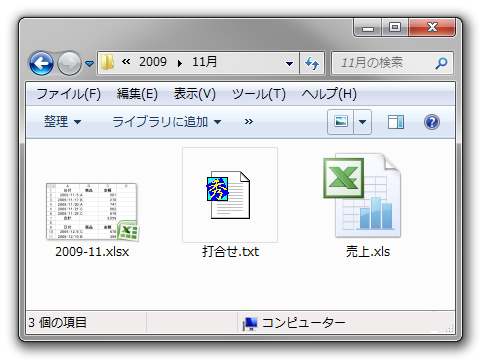
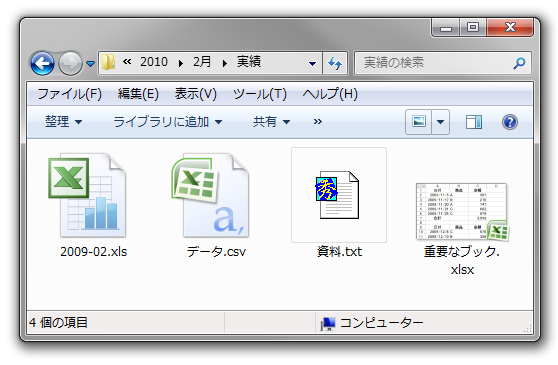
2003形式のブック → Microsoft Office Excel 97-2003 ワークシート
2007形式のブック → Microsoft Office Excel ワークシート
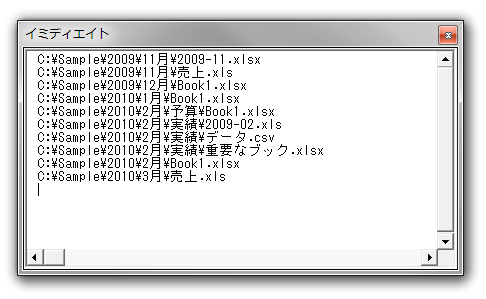
Sub Sample()
    Call FileSearch("C:\Sample")
End Sub

Sub FileSearch(Path As String)
    Dim FSO As Object, Folder As Variant, File As Variant
    Set FSO = CreateObject("Scripting.FileSystemObject")
    For Each Folder In FSO.GetFolder(Path).SubFolders
        Call FileSearch(Folder.Path)
    Next Folder
    For Each File In FSO.GetFolder(Path).Files
        If InStr(File.Type, "Excel") > 0 Then
            Debug.Print File.Path
        End If
    Next File
End Sub
Sub Sample()
    Call FileSearch("C:\Sample")
End Sub

Sub FileSearch(Path As String)
    Dim FSO As Object, Folder As Variant, File As Variant
    Set FSO = CreateObject("Scripting.FileSystemObject")
    For Each Folder In FSO.GetFolder(Path).SubFolders
        Call FileSearch(Folder.Path)
    Next Folder
    For Each File In FSO.GetFolder(Path).Files
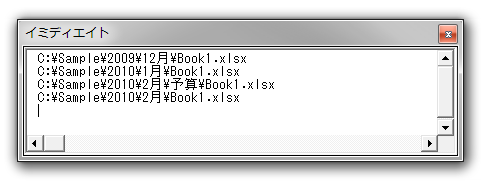
        If File.Name = "Book1.xlsx" Then
            Debug.Print File.Path
        End If
    Next File
End Sub
Sub Sample()
    Call FileSearch("C:\Sample", "Book1.xlsx")
End Sub

Sub FileSearch(Path As String, Target As String)
    Dim FSO As Object, Folder As Variant, File As Variant
    Set FSO = CreateObject("Scripting.FileSystemObject")
    For Each Folder In FSO.GetFolder(Path).SubFolders
        Call FileSearch(Folder.Path, Target)
    Next Folder
    For Each File In FSO.GetFolder(Path).Files
        If File.Name = Target Then
            Debug.Print File.Path
        End If
    Next File
End Sub
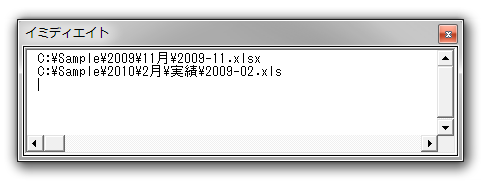
ブック名を、完全一致ではなく、部分一致で検索するときは、次のようにLike演算子を使いましょう。
Sub Sample()
    Call FileSearch("C:\Sample", "2009-??.xls*")
End Sub

Sub FileSearch(Path As String, Target As String)
    Dim FSO As Object, Folder As Variant, File As Variant
    Set FSO = CreateObject("Scripting.FileSystemObject")
    For Each Folder In FSO.GetFolder(Path).SubFolders
        Call FileSearch(Folder.Path, Target)
    Next Folder
    For Each File In FSO.GetFolder(Path).Files
        If File.Name Like Target Then
            Debug.Print File.Path
        End If
    Next File
End Sub