Sub Sample1()
    Dim i As Long
    On Error Resume Next
    With ActiveWorkbook
        For i = 1 To .BuiltinDocumentProperties.Count
            Cells(i, 1) = .BuiltinDocumentProperties(i).Name
            Cells(i, 2) = .BuiltinDocumentProperties(i).Value
        Next i
    End With
End Sub
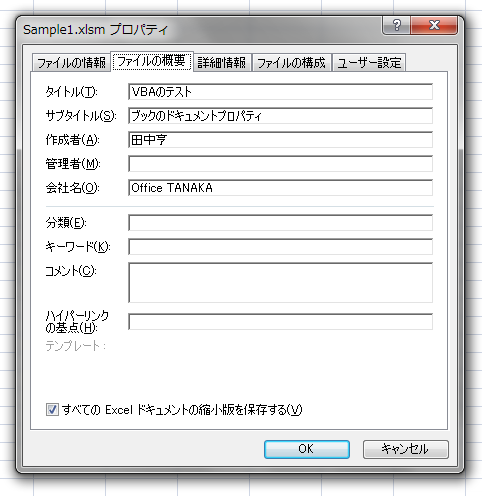
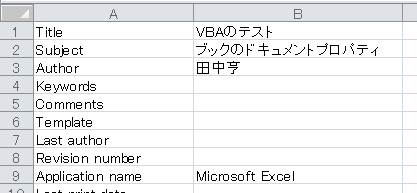
こんな感じに表示されたと思います。A列に入力されているのが、ドキュメントプロパティの名称です。もし何か値が設定されていればB列に代入されます。また、行番号が、ドキュメントプロパティのインデックス番号に該当します。ドキュメントプロパティは、Excel専用ではなく、ほかのOffise製品でも使われています。段落数を表す「Number of paragraphs」などは、おそらくWordで使われるドキュメントプロパティなのでしょう。そんな関係で、組み込みのドキュメントプロパティすべてにアクセスできるとは限りません。操作しようとするとエラーになるドキュメントプロパティもありますので、上記のコードではエラーを無視しています。
Sub Sample2()
    Dim buf As String
    With ActiveWorkbook
        MsgBox "現在のサブタイトルは「" & .BuiltinDocumentProperties("Subject").Value & "」です"
        buf = InputBox("新しいサブタイトルは?")
        .BuiltinDocumentProperties("Subject").Value = buf
    End With
End Sub
Sub Sample3()
    Dim Target As String, wb As Workbook
    Const Path As String = "C:\Sample\"
    Target = Dir(Path & "*.xls")
    Do While Target <> ""
        With Workbooks.Open(Path & Target)
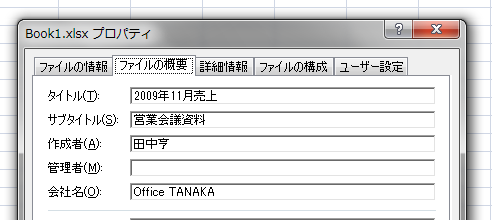
            .BuiltinDocumentProperties("Author").Value = "田中亨"
            .Close SaveChanges:=True
        End With
        Target = Dir()
    Loop
End Sub
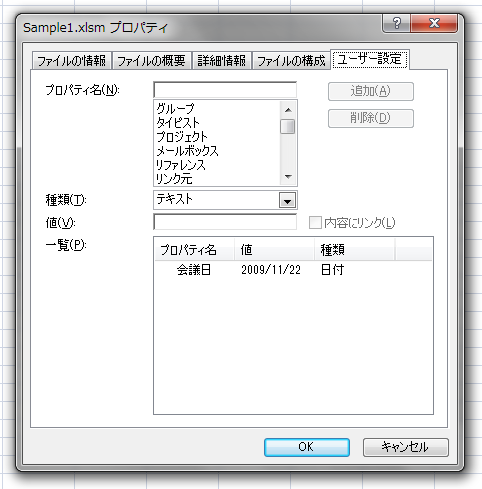
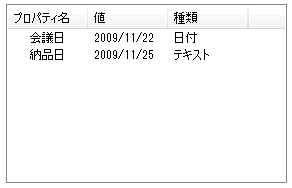
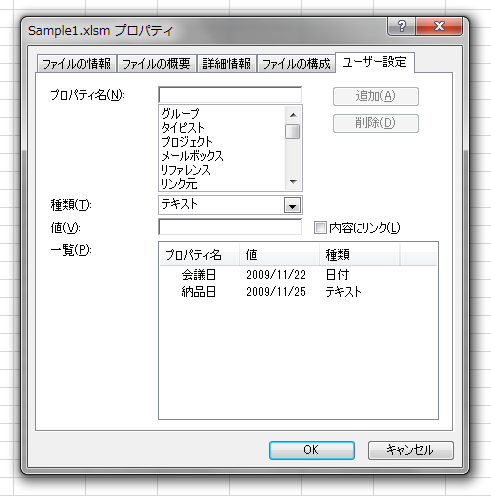
Sub Sample3()
    ActiveWorkbook.CustomDocumentProperties.Add _
                            Name:="会議日", _
                            LinkToContent:=False, _
                            Type:=msoPropertyTypeDate, _
                            Value:="2009/11/22"
End Sub
Sub Sample4()
    ActiveWorkbook.CustomDocumentProperties.Add _
                            Name:="納品日", _
                            LinkToContent:=False, _
                            Type:=msoPropertyTypeString, _
                            Value:="2009/11/25"
End Sub
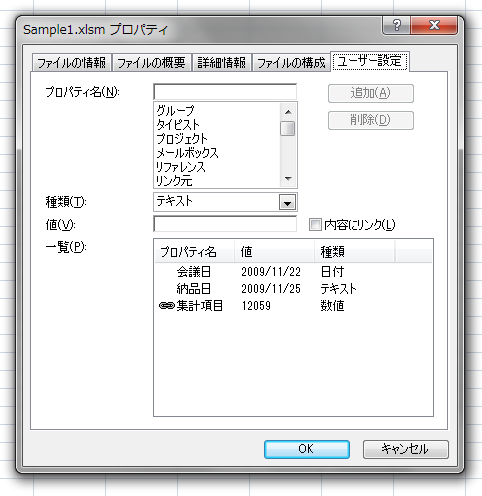
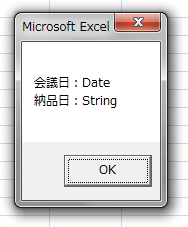
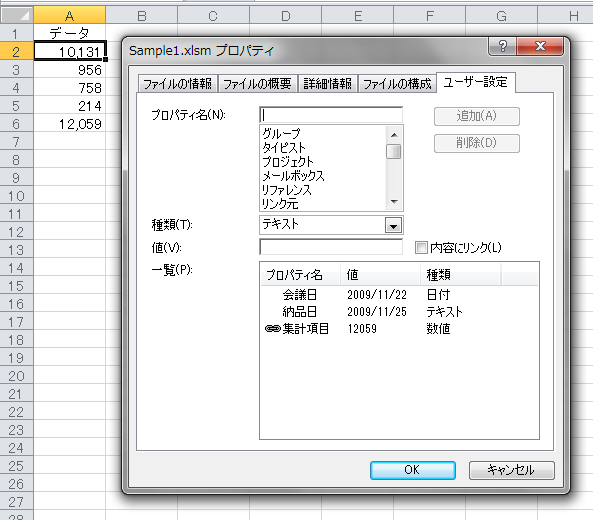
2つのプロパティは、返り値の型が異なります。
Sub Sample5()
    Dim msg As String
    With ActiveWorkbook
        msg = msg & "会議日:" & TypeName(.CustomDocumentProperties("会議日").Value) & vbCrLf
        msg = msg & "納品日:" & TypeName(.CustomDocumentProperties("納品日").Value)
    End With
    MsgBox msg
End Sub
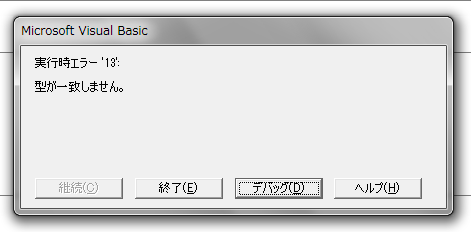
文字列型の値をシリアル値のように計算しようとするとエラーになります。
Sub Sample6()
    Debug.Print ActiveWorkbook.CustomDocumentProperties("納品日").Value + 1
End Sub
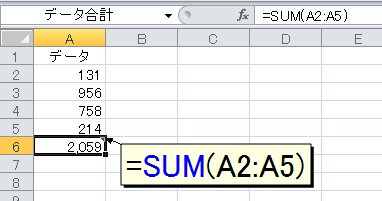
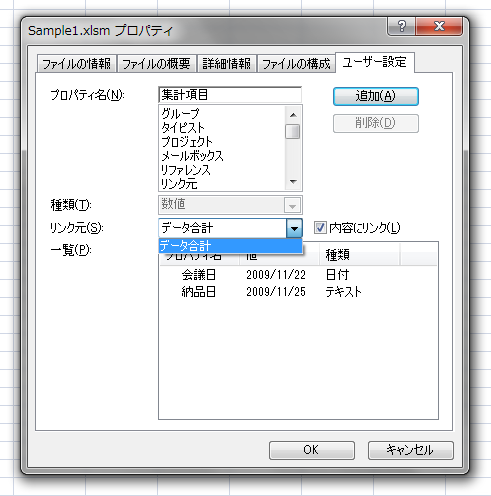
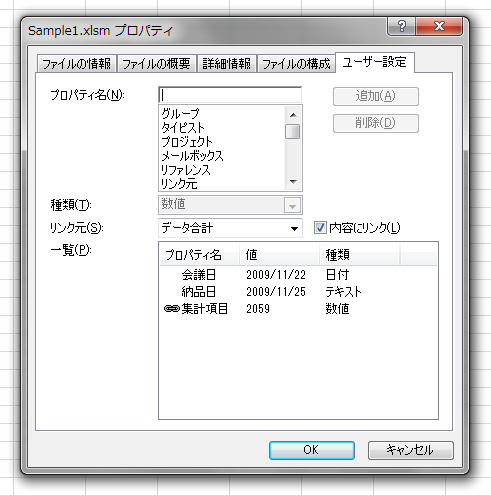
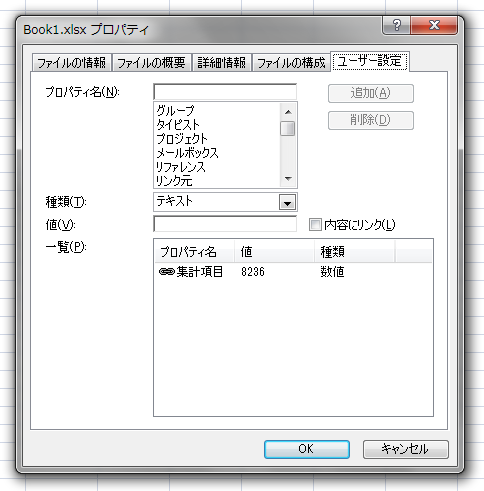
Sub Sample7()
    ActiveWorkbook.CustomDocumentProperties.Add _
                            Name:="集計項目", _
                            LinkToContent:=True, _
                            Type:=msoPropertyTypeNumber, _
                            LinkSource:="データ合計"
End Sub
Sub Sample9()
    Dim Shell As Object, Folder As Object, i As Long
    Set Shell = CreateObject("Shell.Application")
    Set Folder = Shell.Namespace("C:\")
    For i = 0 To 300
        Debug.Print i, Folder.GetDetailsOf("", i)
    Next i
    Set Folder = Nothing
    Set Shell = Nothing
End Sub
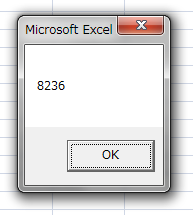
Sub Sample10()
    Dim DSO As Object
    Set DSO = CreateObject("DSOFile.OleDocumentProperties")
    DSO.Open "C:\Sample\Book1.xlsx"
    MsgBox DSO.CustomProperties("集計項目")
    DSO.Close
    Set DSO = Nothing
End Sub
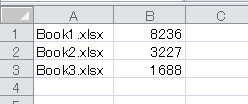
Sub Sample11()
    Dim DSO As Object, Target As String, cnt As Long
    Const Path As String = "C:\Sample\"
    Set DSO = CreateObject("DSOFile.OleDocumentProperties")
    Target = Dir(Path & "*.xlsx")
    Do While Target <> ""
        cnt = cnt + 1
        Cells(cnt, 1) = Target
        DSO.Open Path & Target
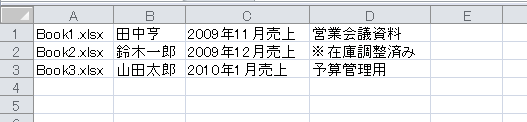
        Cells(cnt, 2) = DSO.CustomProperties("集計項目")
        DSO.Close
        Target = Dir()
    Loop
    Set DSO = Nothing
End Sub