
php.iniファイルの確認と修正
PHPに関する設定は php.ini ファイルを使って設定しますが、現在 php.ini ファイルで設定されている内容を確認し、一部の設定については修正を行っておきます。設定を行う対象の php.ini ファイルの場所については前のページをご参照下さい。
ファイルの修正も行いますので心配であれば修正前のファイルをコピーしバックアップを取っておいて下さい。
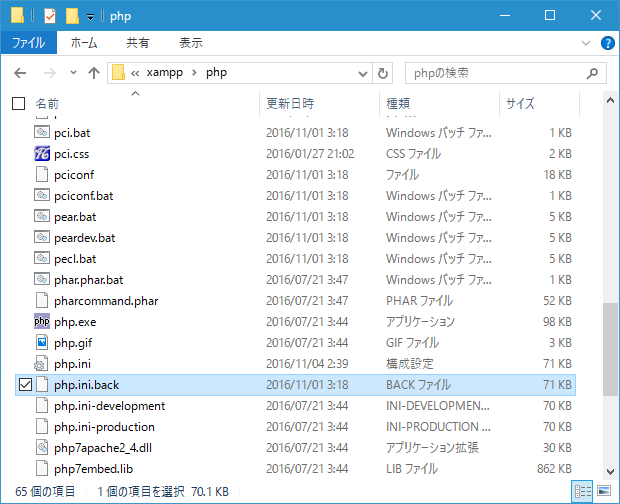
それでは順に設定項目を確認していきます。
1.インクルードパス
2.拡張モジュール
3.mbstring
4.php.iniの変更内容を反映
インクルードパス
「include_path」で検索して下さい。
; UNIX: "/path1:/path2"
include_path=C:\xampp\php\PEAR
;
; Windows: "\path1;\path2"
;include_path = ".;c:\php\includes"
;
; PHP's default setting for include_path is ".;/path/to/php/pear"
; http://php.net/include-path
インクルードパスとはPHPが記述されたファイルから外部のファイルをインクルードする時に、インクルードするファイルを設置するディレクトリを設定します。ここで設定されたディレクトリを基点として外部のファイルを検索します。
インクルードパスには複数のパスを記述でき、セミコロン(;)で区切って続けて記述できます。デフォルトの設定では「C:\xampp\php\PEAR」が設定されています。
実際にこのディレクトリを見てみます。
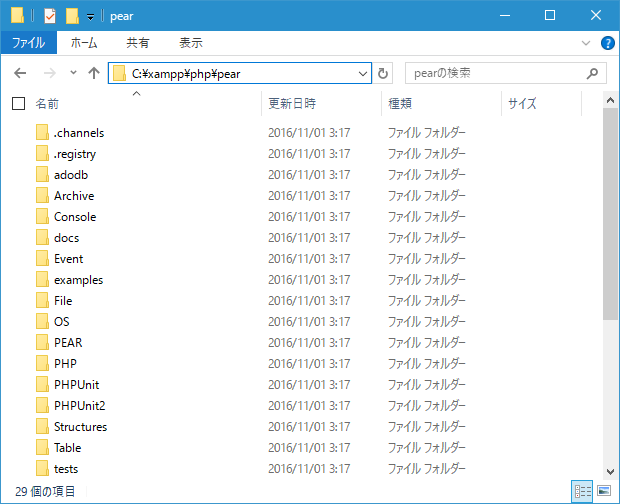
デフォルトで多くのファイルが既に格納されていることが確認できます。
拡張モジュール
「extension_dir」で検索して下さい。
; Directory in which the loadable extensions (modules) reside.
; http://php.net/extension-dir
; extension_dir = "./"
; On windows:
extension_dir="C:\xampp\php\ext"
拡張モジュールのディレクトリにはPHPの起動時に読み込まれる拡張モジュールを設置するディレクトリを設定します。デフォルトの設定ではXAMPPをインストールしたディレクトリに合わせて「C:\xampp\php\ext」となっています。実際にこのディレクトリを見てみます。
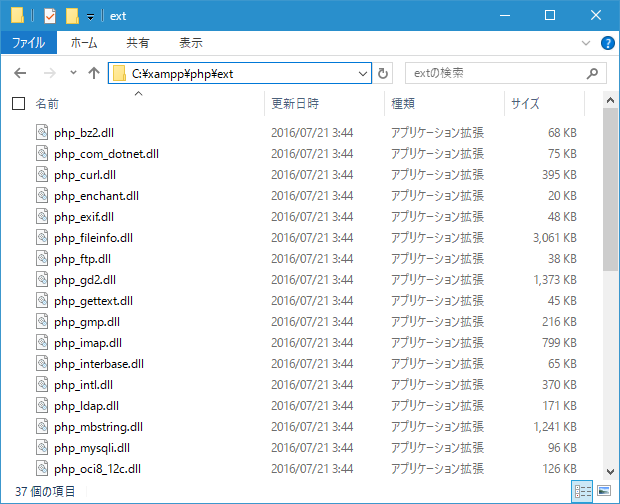
多くのモジュールが配置されていることが確認できます。
そして実際にどのモジュールをPHPに読み込むのかについて「extension」で指定します。下記は php.ini ファイルに記述されている「extension」の一部です。
extension=php_bz2.dll
extension=php_curl.dll
extension=php_fileinfo.dll
;extension=php_ftp.dll
extension=php_gd2.dll
extension=php_gettext.dll
;extension=php_gmp.dll
;extension=php_intl.dll
;extension=php_imap.dll
;extension=php_interbase.dll
;extension=php_ldap.dll
extension=php_mbstring.dll
extension=php_exif.dll      ; Must be after mbstring as it depends on it
extension=php_mysqli.dll
読み込むモジュールを「extension=モジュール名」と記述します。行の先頭に「;」が付いている行はコメントとして扱われますので「;」が付いているものは現在有効になっていないものです。今後必要になったモジュールを読み込むには先頭の「;」を削除することでモジュールが読み込まれます。
mbstring
日本語などのマルチバイト文字を扱うにはmbstringの設定が必要です。まずはmbstring用の拡張モジュールを有効にします。次の行を検索して下さい。
extension=php_mbstring.dll
デフォルトの設定でmbstring拡張モジュールを読み込むようになっています。もし先頭に「;」が付いていた場合は削除して下さい。
続いて設定を行います。「[mbstring]」で検索して下さい。
[mbstring]
; language for internal character representation.
; This affects mb_send_mail() and mbstring.detect_order.
; http://php.net/mbstring.language
;mbstring.language = Japanese

; Use of this INI entry is deprecated, use global internal_encoding instead.
; internal/script encoding.
; Some encoding cannot work as internal encoding. (e.g. SJIS, BIG5, ISO-2022-*)
; If empty, default_charset or internal_encoding or iconv.internal_encoding is used.
; The precedence is: default_charset < internal_encoding < iconv.internal_encoding
;mbstring.internal_encoding =

; Use of this INI entry is deprecated, use global input_encoding instead.
; http input encoding.
; mbstring.encoding_traslation = On is needed to use this setting.
; If empty, default_charset or input_encoding or mbstring.input is used.
; The precedence is: default_charset < intput_encoding < mbsting.http_input
; http://php.net/mbstring.http-input
;mbstring.http_input =

; Use of this INI entry is deprecated, use global output_encoding instead.
; http output encoding.
; mb_output_handler must be registered as output buffer to function.
; If empty, default_charset or output_encoding or mbstring.http_output is used.
; The precedence is: default_charset < output_encoding < mbstring.http_output
; To use an output encoding conversion, mbstring's output handler must be set
; otherwise output encoding conversion cannot be performed.
; http://php.net/mbstring.http-output
;mbstring.http_output =

; enable automatic encoding translation according to
; mbstring.internal_encoding setting. Input chars are
; converted to internal encoding by setting this to On.
; Note: Do _not_ use automatic encoding translation for
;       portable libs/applications.
; http://php.net/mbstring.encoding-translation
;mbstring.encoding_translation = Off

; automatic encoding detection order.
; "auto" detect order is changed according to mbstring.language
; http://php.net/mbstring.detect-order
;mbstring.detect_order = auto

; substitute_character used when character cannot be converted
; one from another
; http://php.net/mbstring.substitute-character
;mbstring.substitute_character = none

; overload(replace) single byte functions by mbstring functions.
; mail(), ereg(), etc are overloaded by mb_send_mail(), mb_ereg(),
; etc. Possible values are 0,1,2,4 or combination of them.
; For example, 7 for overload everything.
; 0: No overload
; 1: Overload mail() function
; 2: Overload str*() functions
; 4: Overload ereg*() functions
; http://php.net/mbstring.func-overload
;mbstring.func_overload = 0

; enable strict encoding detection.
; Default: Off
;mbstring.strict_detection = On

; This directive specifies the regex pattern of content types for which mb_output_handler()
; is activated.
; Default: mbstring.http_output_conv_mimetype=^(text/|application/xhtml\+xml)
;mbstring.http_output_conv_mimetype=
各項目の先頭の「;」を削除した上で順に設定を変更していきます。設定方法はご利用になっている環境によって異なりますので何が正解というものはありません。下記では私が設定している例をご紹介します。
「mbstring.internal_encoding」はマルチバイト文字列関数(mbstring)のデフォルトエンコードとなります。変換元の文字コードが指定されなかった場合、ここで指定した文字コードが使用されます。基本的には文字コードを指定しますので設定は不要ですが、ここでは基本の文字コードとして使用予定のUTF-8を指定しておきます。
; language for internal character representation.
; http://php.net/mbstring.language
mbstring.language = Japanese

; internal/script encoding.
; Some encoding cannot work as internal encoding.
; (e.g. SJIS, BIG5, ISO-2022-*)
; http://php.net/mbstring.internal-encoding
mbstring.internal_encoding = UTF-8
「mbstring.http_input」と「mbstring.http_output」はHTTP通信の時のインプットとアウトプットの文字コード変換に関するパラメータです。自動で変換しないように「mbstring.encoding_translation」は「Off」を指定しています。
; http input encoding.
; http://php.net/mbstring.http-input
mbstring.http_input = pass

; http output encoding. mb_output_handler must be
; registered as output buffer to function
; http://php.net/mbstring.http-output
mbstring.http_output = pass

; enable automatic encoding translation according to
; mbstring.internal_encoding setting. Input chars are
; converted to internal encoding by setting this to On.
; Note: Do _not_ use automatic encoding translation for
;       portable libs/applications.
; http://php.net/mbstring.encoding-translation
mbstring.encoding_translation = Off
「mbstring.detect_order」は文字コードの自動判別を行う時にどの文字コードから順に確認していくのかを指定します。「auto」に設定するとどの文字コードから判別するか分かりませんので明示的に指定してあります。
; automatic encoding detection order.
; auto means
; http://php.net/mbstring.detect-order
mbstring.detect_order = UTF-8,SJIS,EUC-JP,JIS,ASCII
「mbstring.substitute_character」は無効な文字があった場合に代わりに表示する文字を指定します。今回はデフォルトの値のまま無効な文字は何も表示しない設定の「none」としておきます。
; substitute_character used when character cannot be converted
; one from another
; http://php.net/mbstring.substitute-character
mbstring.substitute_character = none
「mbstring.func_overload」はシングルバイト対応の関数をマルチバイト対応の関数でオーバーロードするどうかの設定です。自動でオーバーロードされると予期せぬ不具合が発生することもありますのでオーバーロードしない「0」としておきます。
; overload(replace) single byte functions by mbstring functions.
; mail(), ereg(), etc are overloaded by mb_send_mail(), mb_ereg(),
; etc. Possible values are 0,1,2,4 or combination of them.
; For example, 7 for overload everything.
; 0: No overload
; 1: Overload mail() function
; 2: Overload str*() functions
; 4: Overload ereg*() functions
; http://php.net/mbstring.func-overload
mbstring.func_overload = 0
「mbstring.strict_detection」は文字コードの自動判別を厳密に行うかどうかの設定です。それぞれメリットデメリットがありますが今回はOffのままにしてあります。
; enable strict encoding detect
mbstring.strict_detection = Off
「mbstring.http_output_conv_mimetype」についてはよく分かっていないので、今回はコメントのままとしておきます。
; This directive specifies the regex pattern of content types for which mb_output_handler()
; is activated.
; Default: mbstring.http_output_conv_mimetype=^(text/|application/xhtml\+xml)
;mbstring.http_output_conv_mimetype=

; Allows to set script encoding. Only affects if PHP is compiled with --enable-zend-multibyte
; Default: ""
;mbstring.script_encoding=
mbstring に関する設定は以上です。
php.iniの変更内容を反映
php.iniファイルの必要最小限の設定変更は以上となります。PHPからMySQLなどのデータベースを使用する場合はMySQLに関するモジュールの読み込みや設定などが必要となりますが、それは別のページで解説します。
なお変更したphp.iniを有効とするにはApacheを再起動する必要があります。再起動後にphpinfo関数で出力される内容を確認して下さい。(確認方法は「phpinfoによる設定の確認とphp.iniファイルの位置」を参照して下さい)。
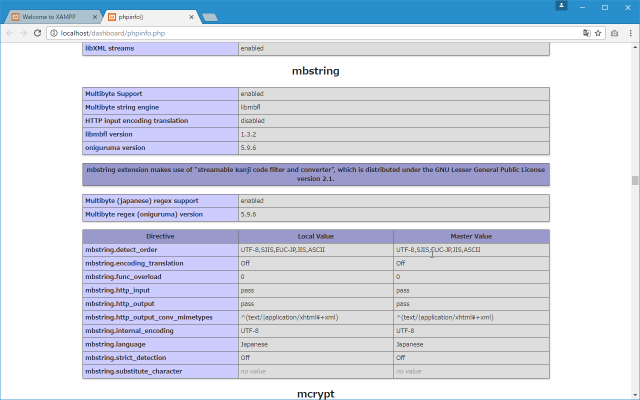
「mbstring」のブロックを見て下さい。設定した内容が反映されていれば設定変更は完了です。
( Written by Tatsuo Ikura )

著者 / TATSUO IKURA
初心者~中級者の方を対象としたプログラミング方法や開発環境の構築の解説を行うサイトの運営を行っています。